Move one date. Everything after it follows.
A Gantt schedule for solo and small GCs: start from a home-build template, drag a bar when a sub slips, and send the homeowner one link.
Free during the open beta. No card required.
Spreadsheets are free and painful. The big suites are powerful and expensive.
Most small GCs need the schedule, the subs, and the homeowner update. Not a sales call, a setup project, and a training week. Buildermatic is the part you actually use.
Spreadsheet
Free, and it costs you every evening
Made for
Whoever built the sheet
Getting started
A blank grid
Homeowner updates
A screenshot in a text
Price
Free, plus your evenings
All-in-one suite
Powerful, and priced for an office
Made for
Builders with an office
Getting started
Sales call, onboarding, setup
Homeowner updates
A client portal with a login
Price
Priced for the office
Buildermatic
The part you actually use
Made for
Solo and small GCs
Getting started
Sign up, pick a template, drag
Homeowner updates
One read-only link, no login
Price
Free in beta
Beta users hear the launch price first, before anyone else.
Buildermatic plans the job from a template, re-flows it when a date moves, and keeps crews from being in two places at once.
Start with a ready-made home build
A full single-family sequence, phases and trades included. Rename the job, set the start date, and it's a schedule.
Move it once
Slide one phase and everything downstream follows, with overlaps and lead times respected. Undo if you change your mind.
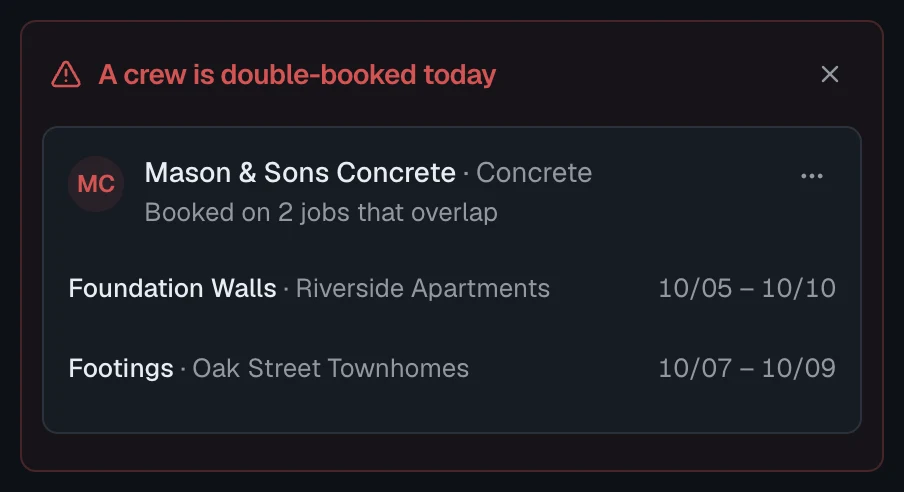
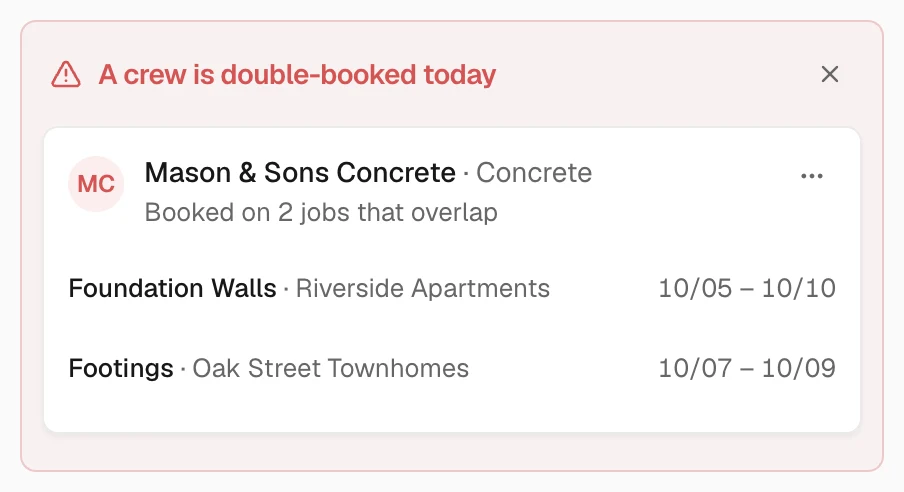
Catch the double-booking before the phone rings
Every assignment is checked against your other jobs, and flagged the moment you open the app.
Drag once. Everything re‑flows.
Framing slips a week? Move it one time. Interior and exterior shift with it, and you can see what the house looks like on any day of the plan. Try it below.
What updates automatically
No retyping. Ever.
Every dependent task
Anything that waits on the one you moved shifts with it.
Overlap days
Trades that can share the site keep their overlap.
Lead times
Calls and orders stay the right number of days ahead.
Fixed durations
A five-day job stays five days, with per-task overrides.
Undo
Any move, one tap to take it back.
Today marker
Every view shows where the job stands right now.
Send the homeowner one link.
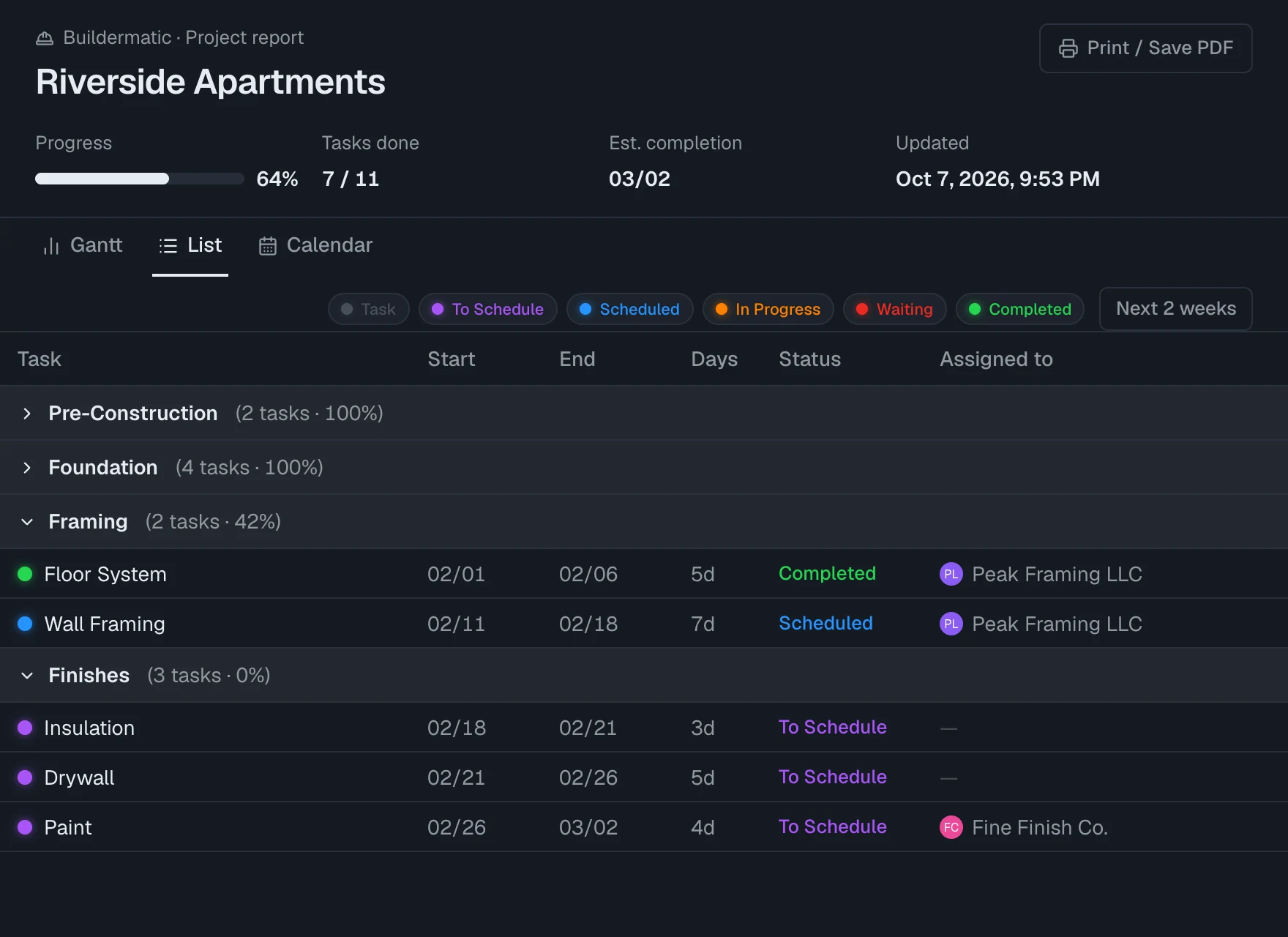
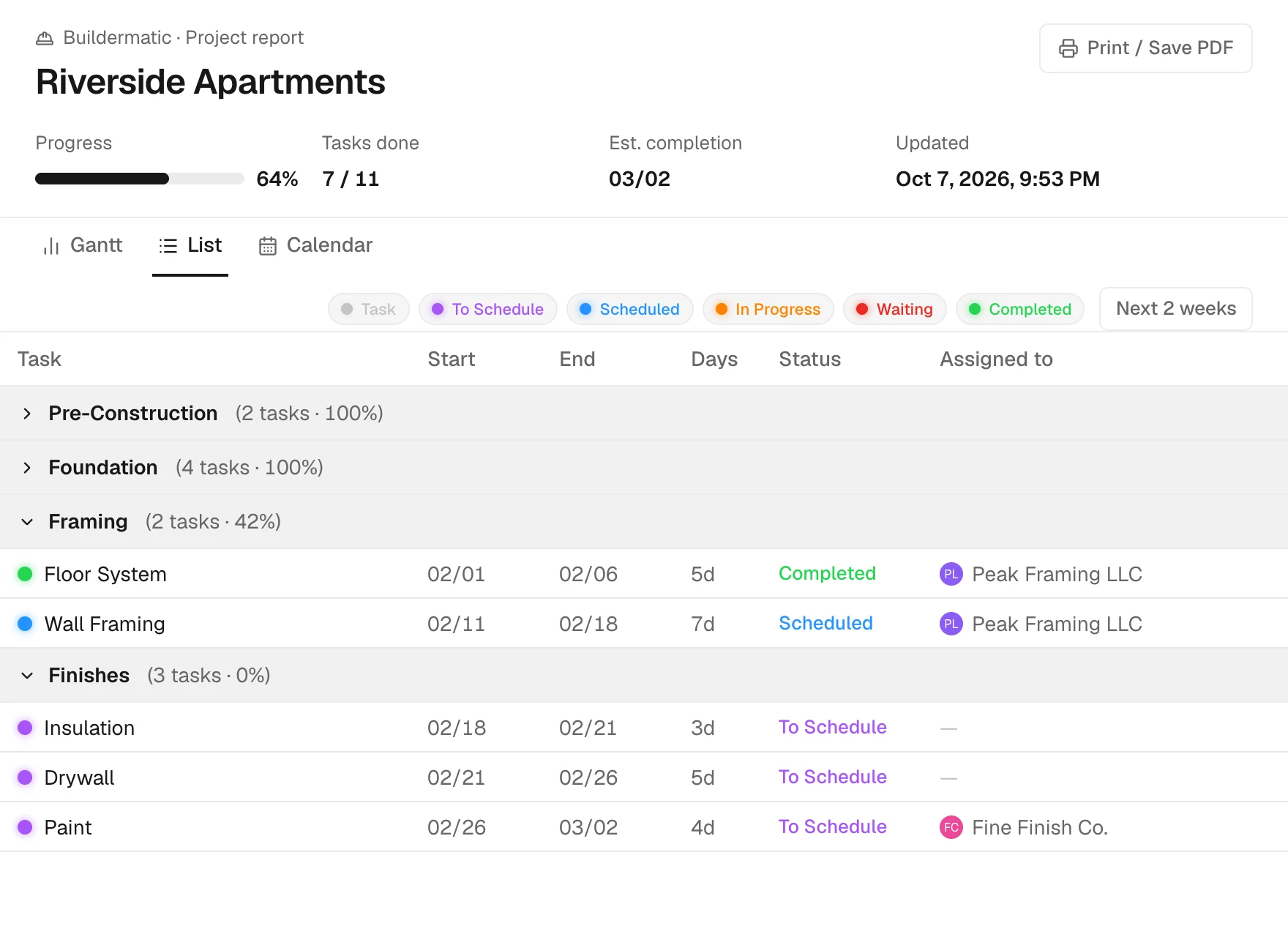
They see progress, what's next and the estimated finish. No login, no app to install, none of your internal notes.
What they see
- Progress and estimated finish
- Phase-by-phase task list
- Always the latest schedule
- Print or save as PDF
- Revoke any time
- Your name on it, not ours
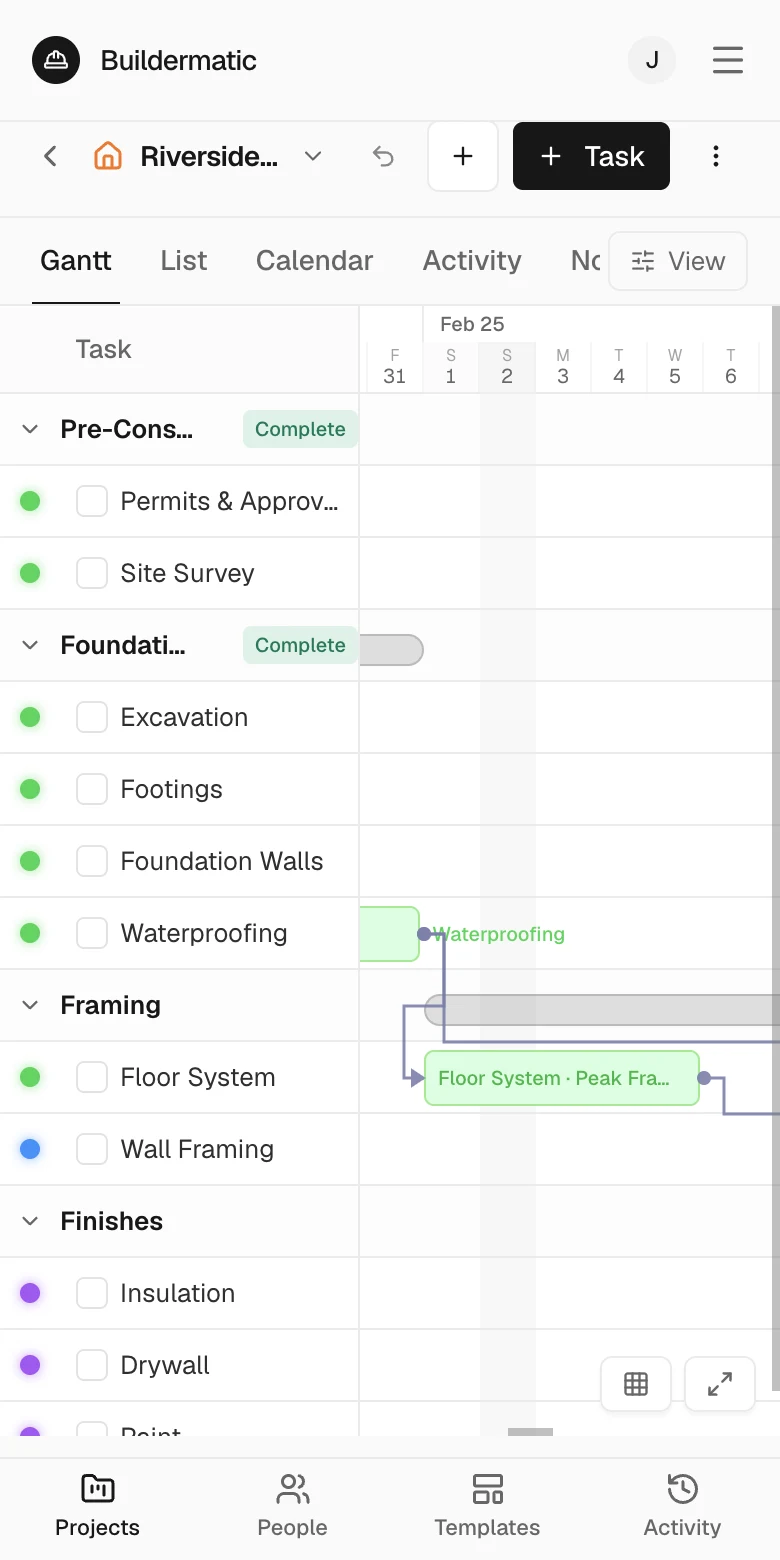
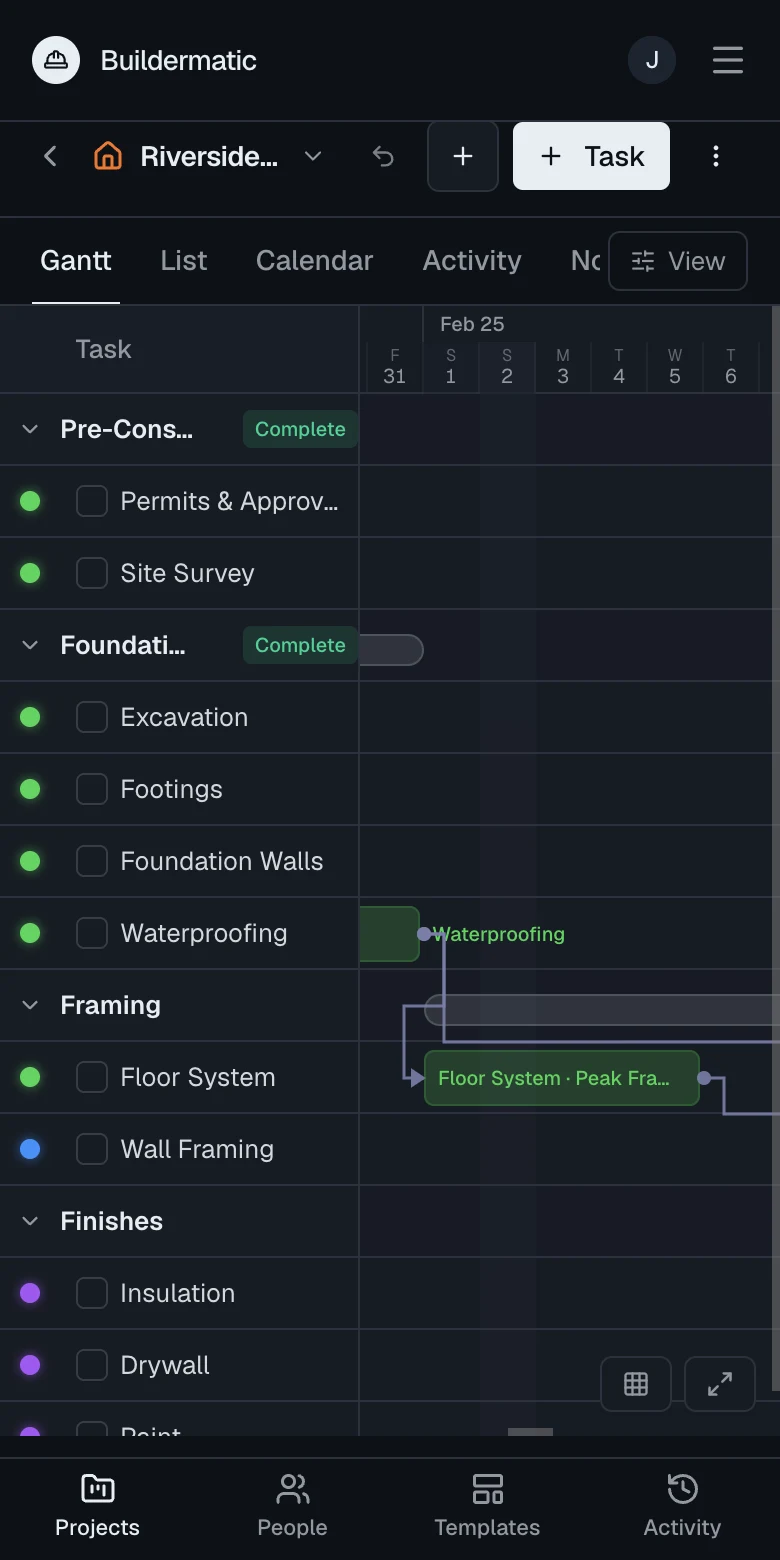
Built for the field.
Runs in your pocket.
Home-screen app
Add it once from Safari or Chrome. Opens like an app, no app store.
Light on signal
The app is stored on your phone and opens instantly. Your schedule is small enough to load on one bar.
Call from the task
Every task shows the crew's number, with call and text buttons beside it.
Frequently asked questions
Anything else? Email hello@buildermatic.com and a person replies.
Do I need a card to start?
No. Sign up and you're in. Everything is free during the open beta and we don't ask for a card.
Is it really free?
Yes, for the whole open beta. We're building Buildermatic with early users and want your feedback more than your money right now. You'll hear from us well before anything changes, and nothing is ever charged unless you add a card yourself.
What if I stop using it?
Your schedules stay put, and you can export everything as CSV at any time. Delete your account yourself from Settings whenever you like.
Can I import from a spreadsheet or another tool?
Not yet. Most people start from the built-in home-build template and edit in the table view, which is quick to fill in. CSV export is available today; import is on the list.
Does it work with a bad signal?
The app is stored on your phone and opens instantly from the home screen. Your schedule loads from our servers, so you need at least a weak connection to see or change it. It is light enough that one bar does the job.
What does my client see?
A read-only page: progress, estimated finish, and a phase-by-phase task list. No login, no internal notes. Revoke the link any time and it stops working immediately.
Do my subs need accounts?
No. Subs are contacts on your schedule. You call or text them straight from the task, and they never have to log in to anything.
What's the morning email?
Once a day, at the hour you pick, you get what's due today across all your projects and any crew booked in two places, with phone numbers. On quiet days you get nothing.
When does Team ship?
Shared workspaces, roles and an activity log are in progress. Beta users get them first, with their projects intact. Email us and we'll tell you the day it lands.
Free while we build it with you.
Open beta means you get every feature, we get your feedback, and nobody gets a bill.
Free during the open beta. No card required.